
The Information Architecture consisted of 3 parts: Navigation, Site Map, and Content Outline.
Navigation included how the pages will be linked together. A site map illustrates each page of a website and how a user can navigate through the website. A Content Outline is a list of what each page will include.
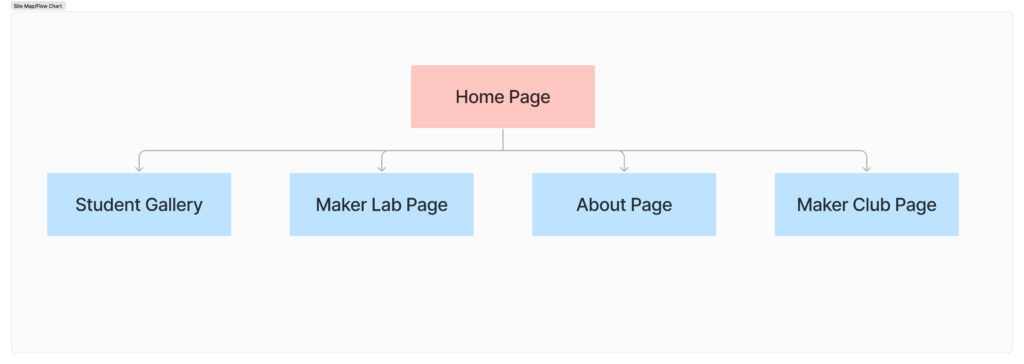
I created the site map as it had very few pages so it was fairly simple to create.
Navigation & Architecture
This section was broken into 3 parts: Website Pages, Page Structure & Categories. Our client is an architect, not a web designer so it was important that they know what we are talking about when we use web design vocabulary. It was created by a team mate of mine, but revise by them and me.
The Website Pages Section specified what the projected url, title, and heading that page would be.
The Page Structure broke down a typical web page into three main sections—navigation, body, and footer—and specified what content each of these sections would generally contain.
The Categories section was mostly for us. It specified what categories we would use for posts once production started. This part took more time because it was originally just the names of each page. I explained to my team mate that these would only apply to posts since Pages in WordPress can’t be categorized. The posts on the Design Website would be news which would fall under events, news, and student work. The Course category was also added for the Gallery images since at this time, we hadn’t given much thought as to how we’d create a gallery.
The File Naming Convention is a reference for how to rename photos used for the website. Originally, the client wanted the student name and year to display for each photo, but they didn’t have that information for us so the naming convention changed to:
Design-Course#-Photo#
Ex: Design-100-1
Content Inventory
This section was broken into 3 parts as well: Page Content, Elements, & Shared Links.
Elements specified the difference between global and unique elements.
Shared Links specified the resources we will be using to grab written content and images for when production started.
Page Content listed the content that would be present on each page from the site map.